Automation tool for Cookie Run Classic
Crumble plays your Cookie Run Classic account for you on Android emulators. Open source, built with Python.
v0.1.0 · Windows 10/11
Interactive demo. Click around.
 Crumblev0.1.0
Checked instances run on Start. Click a name to edit its settings.
Auto Run
In the run
Boosts
Lobby
Console
Nothing yet. Bot activity shows up here.
Runs, chests and the chores in between
Pick a mode for each emulator, and Crumble handles the rest.
Auto Run
Plays runs back to back. It jumps, plays the relay cookie and opens the reward box after each run.
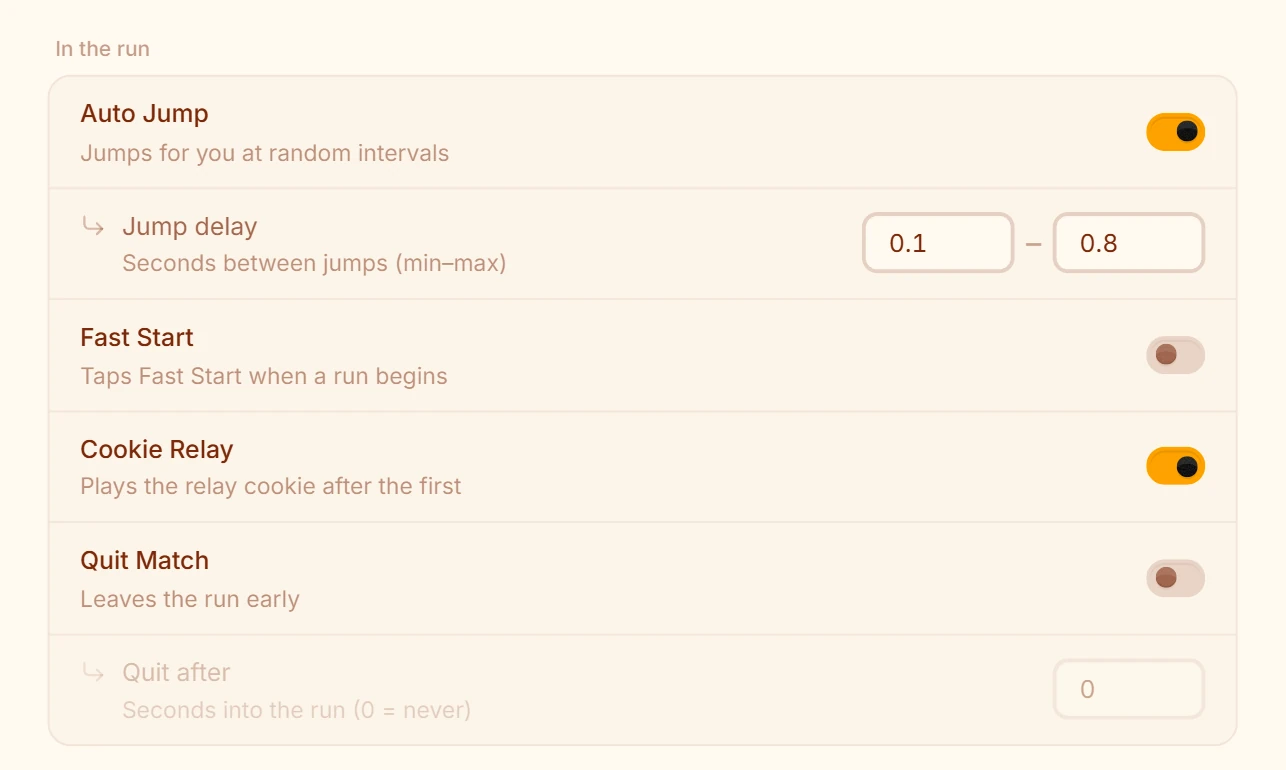
Auto Chest
Buys 5,000-coin treasure chests with your coins, then extracts them for magic powder. It can keep Choc Cookie treasures.
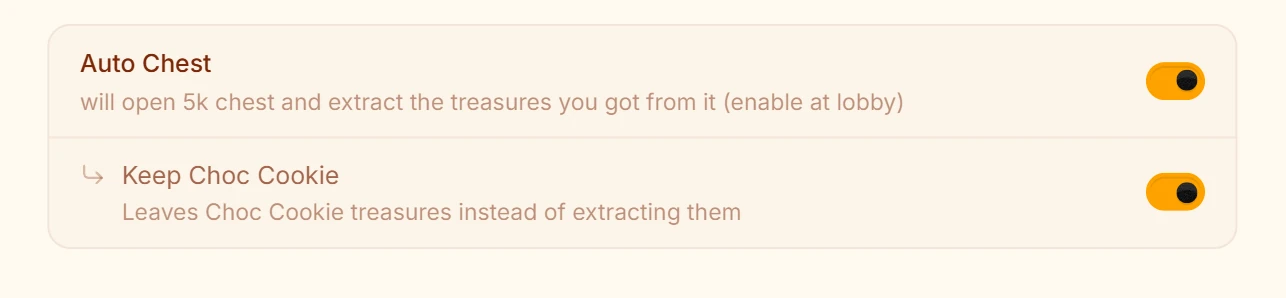
Boosts
Buys the Hp, Power and Xp boosts you pick. It rerolls the random boost until it lands on one you want.
Lobby chores
Collects lives from your mailbox once it has enough mail, and claims stage relics.
Discord results
Posts each run, chest batch and relic to your Discord channel through a webhook.
Multiple emulators
Runs on several MuMu Player 12 or LDPlayer instances at once, each with its own settings.
It looks at the screen and taps, like you would
It only sees the screen and taps it. It doesn't change game files or read game memory.
See
Takes a screenshot of the emulator through ADB.
Recognize
Finds the current screen and its buttons with OpenCV, and reads coins and other numbers with EasyOCR.
Tap
Taps the right button through ADB, at a random spot inside it.
Repeats until you press Stop, on every emulator at once.
Set up Crumble on MuMu Player or LDPlayer
Pick a guide and follow along. Press a step to jump to it.
Set up MuMu Player 12
Get MuMu Player 12 ready for Crumble: the right screen size and ADB on.
Download MuMu Player 12 from its official site, install it and open it.
Open Settings → Display, set Resolution to 1280 × 720 and DPI to 240, then press Save.
Open Settings → Other and turn on ADB.
Open the Play Store, install Cookie Run Classic and log in. Leave the game at the lobby.
Questions, answered.
What is Crumble?
Crumble is a free, open-source Cookie Run Classic bot and auto farm for Windows. It plays the game for you on Android emulators.
Is it free?
Yes. Crumble is free and open source, and its code is on GitHub.
Which emulators does it work with?
MuMu Player 12 and LDPlayer. You can run it on several emulators at once.
What emulator settings does it need?
Set the emulator to a 1280 × 720 screen at DPI 240 and turn on ADB. Crumble taps fixed spots, so any other size makes it miss.
What can it automate?
Runs back to back, buying and opening treasure chests, boosts and lobby chores. It can post results to Discord.
Does it change game files or read game memory?
No. It takes screenshots of the emulator and taps buttons through ADB, like you would.
Does it work on Mac or on my phone?
No. Crumble needs Windows and an Android emulator.
Can my account get banned?
Any automation can break the game's terms. Crumble taps at a random spot inside each button, but use it at your own risk.